For macOS · runs on your coding agent
Build Mac apps,
stage by stage.
Wireflow takes the coding agent you already use through 8 checked stages, from a one-line idea to a packaged Mac app. No extra AI bill.
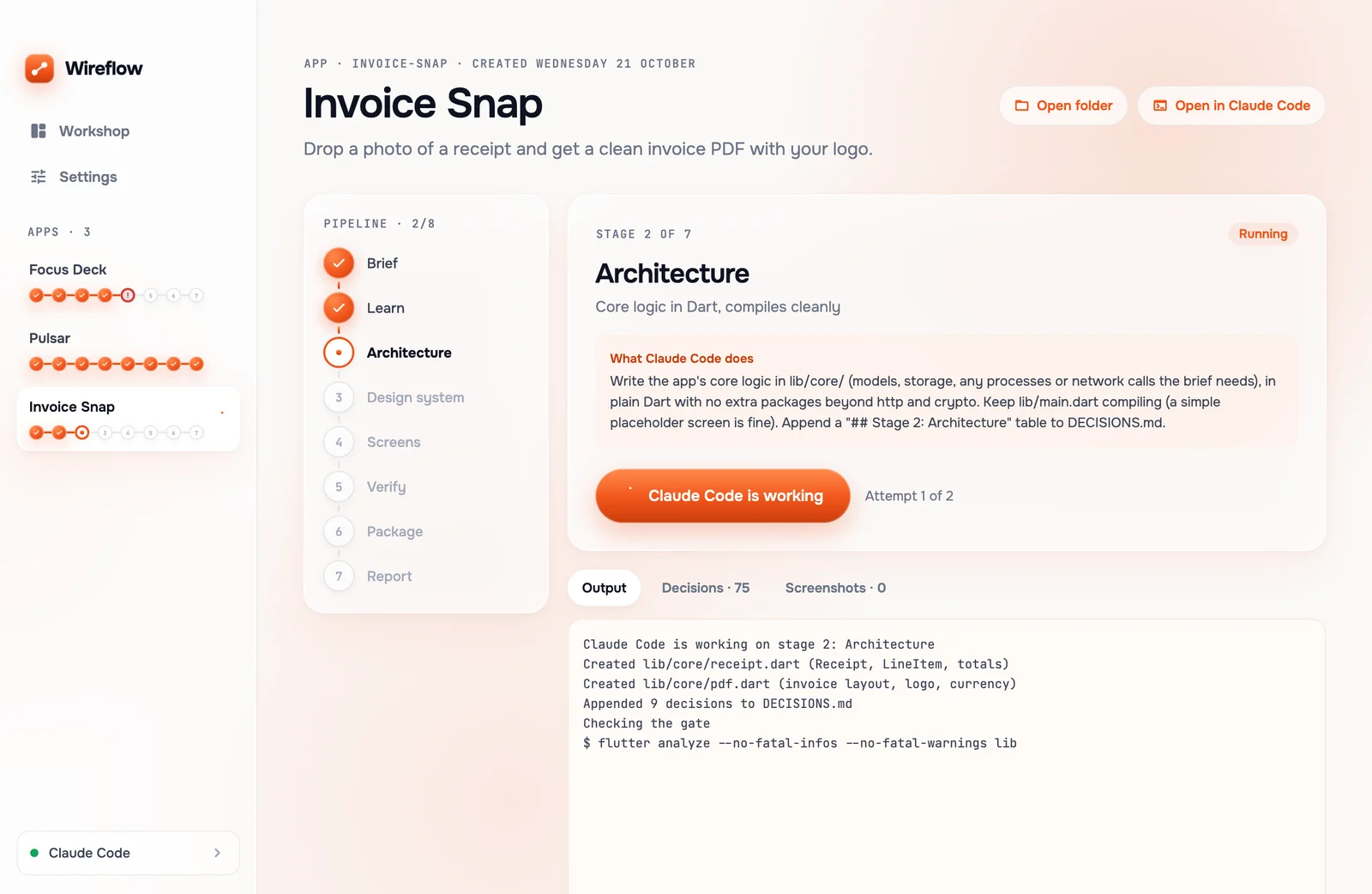
Real Wireflow screens with sample projects
Works withClaude CodeCodex CLIGemini CLIQwen CodeopencodeCursor AgentGitHub Copilot CLI
01 · What it costs you now
Your agent writes an app. Nobody checks it.
“Done!”
Ask a coding agent for a desktop app and it says it is done. What you get is a folder:
- ✕Some of it builds. You find out which part when you run it.
- ✕Screens nobody asked for, and the empty state nobody drew.
- ✕No record of why anything was chosen, so every fix starts from zero.
02 · How it works
Eight stages. Each one has a gate.
Your agent writes the files. Wireflow runs the build and checks the gate in code before the next stage can start.
Stage 0
Brief
What the app is for, every screen and state
Stage 1
Learn
A reference product and three design references
Stage 2
Architecture
Core logic that compiles
Stage 3
Design system
Colours, type and one signature element
Stage 4
Screens
Every screen and state, plus a smoke test
Stage 5
Verify
A screenshot of every screen and state
Stage 6
Package
A packaged Mac app
Stage 7
Report
What was verified, and what was not
03 · When a gate fails
A failed gate stops the line.
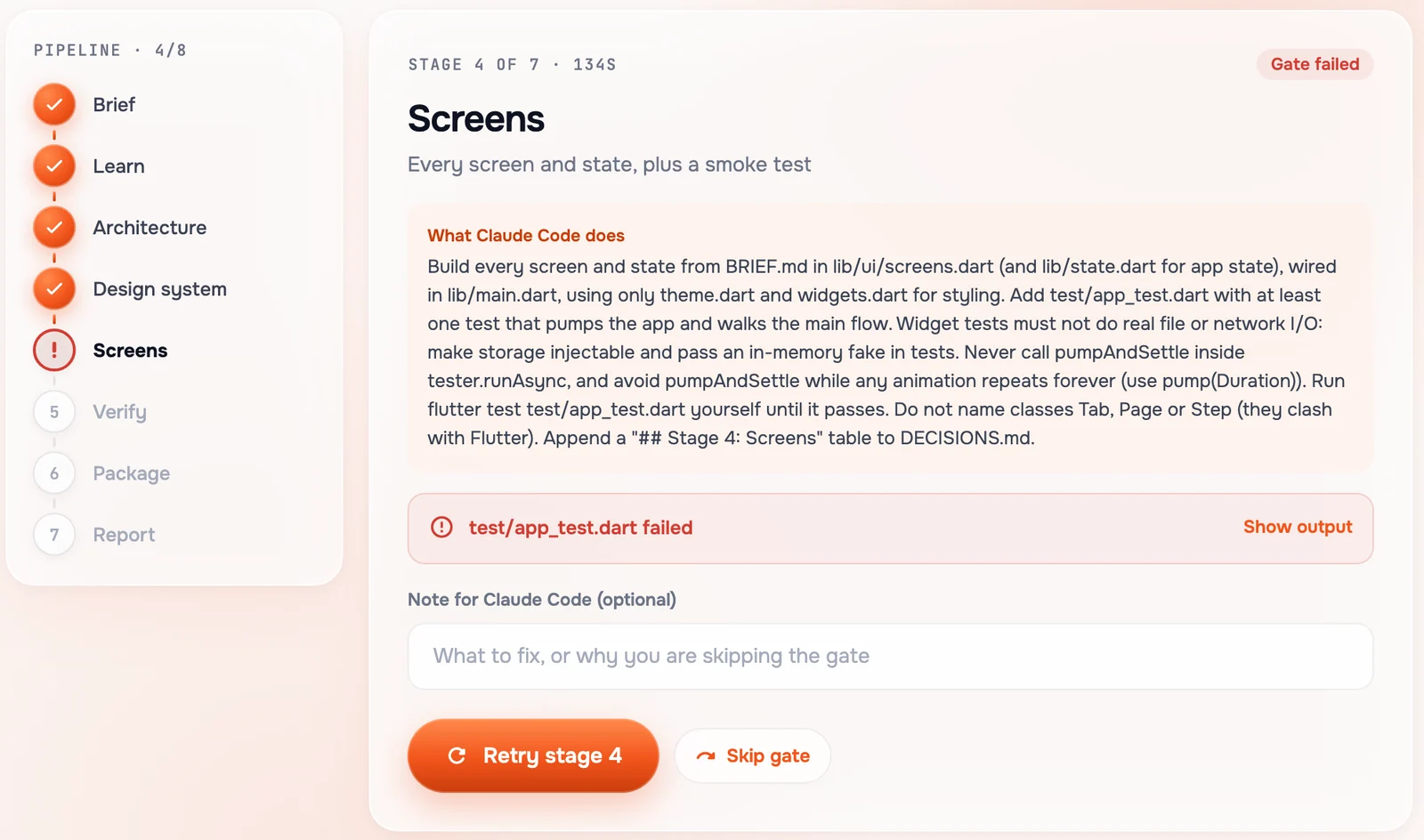
Nothing moves on until the stage really passes.
- 1Your agent gets the exact error and one automatic fix.
- 2Still failing? Retry with a note in your own words.
- 3Or skip the gate. The skip is logged as a decision.
04 · Nothing behind your back
Every decision, written down.
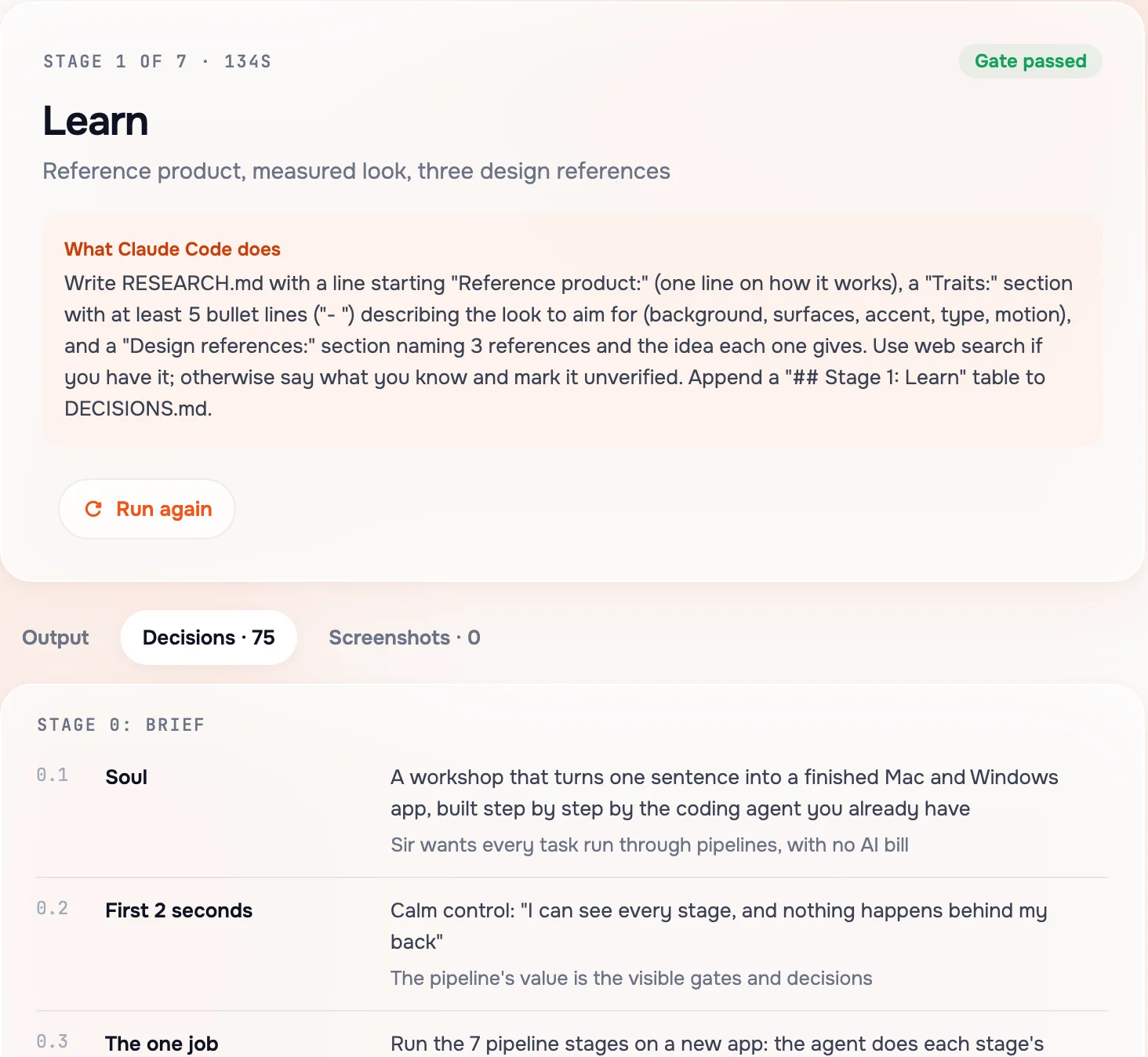
You can see what was chosen, and why, while it happens.
- MDEvery decision goes into DECISIONS.md in your app's folder.
- LIVEThe same decisions show live as a table in the app.
- GITA git checkpoint after every passed stage, so you can always go back.
05 · See it before you ship
Every screen, rendered and on file.
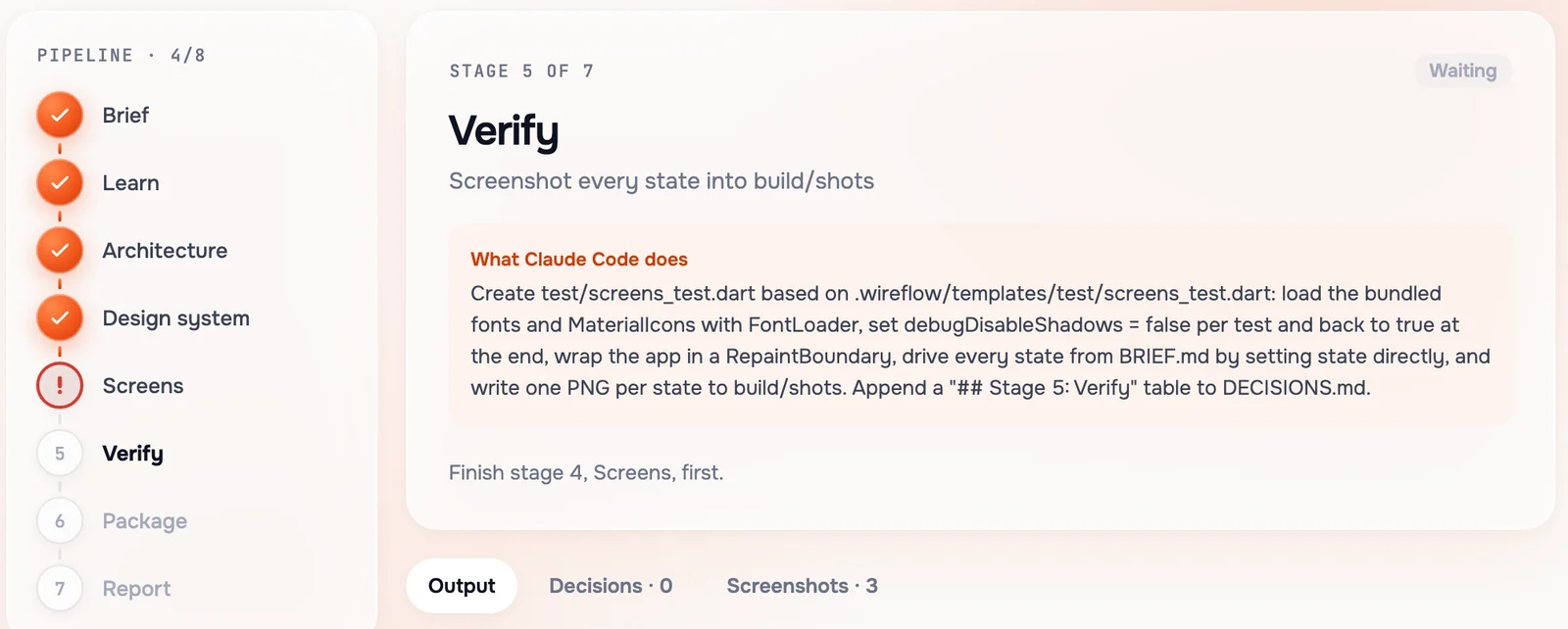
Stage 5 renders every screen in every state as a screenshot.
- →Every state from the brief, not only the happy one.
- →Open them in the Screenshots tab, right in the app.
06 · Your agent, your bill
Runs on the agent you already have.
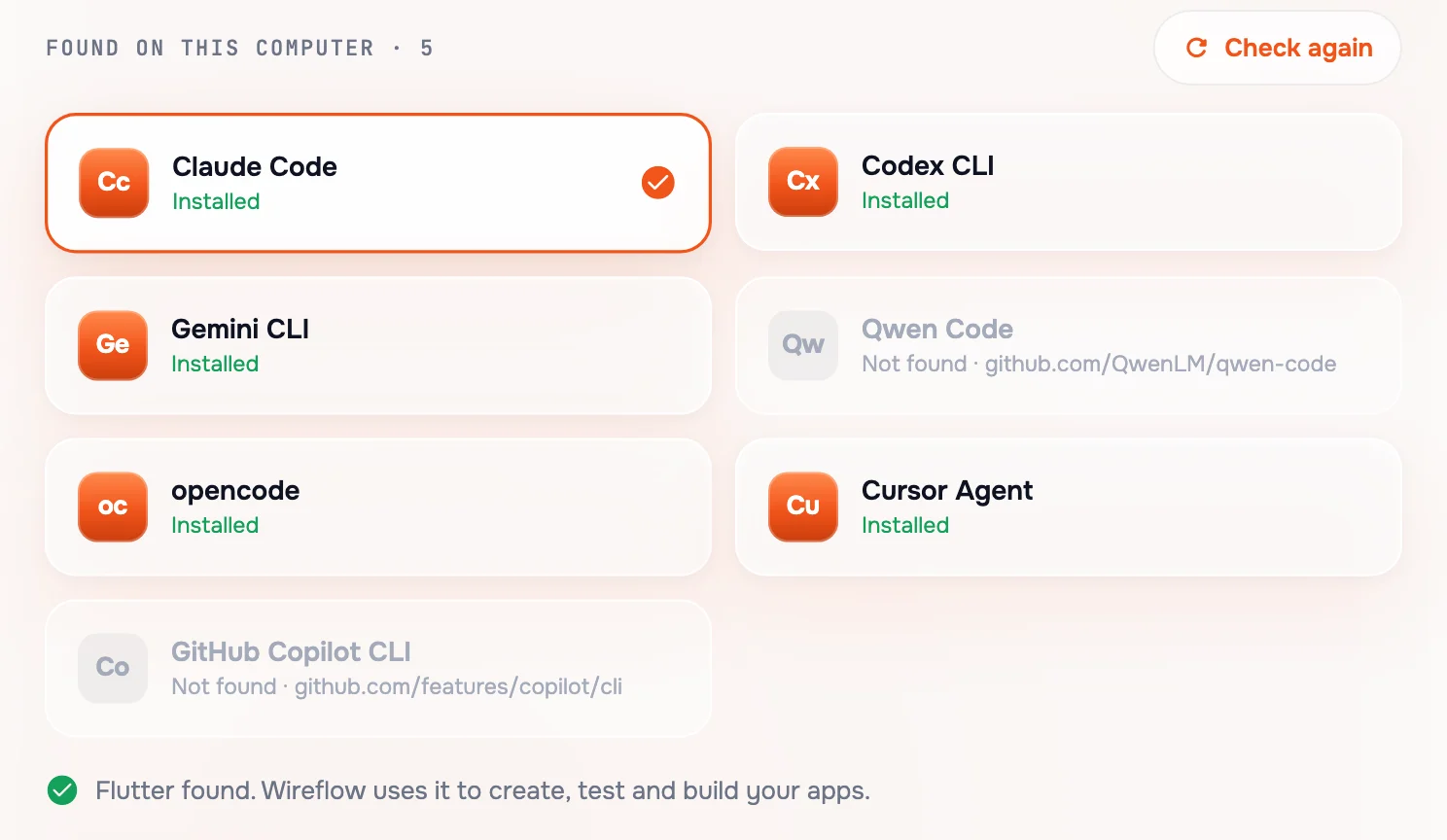
Wireflow finds the agents on your Mac. Pick one, switch any time. No extra AI bill.
- Claude Code
- Codex CLI
- Gemini CLI
- Qwen Code
- opencode
- Cursor Agent
- GitHub Copilot CLI
07 · Measured
One sample app. Two agents. Both finished.
A sample app, Tip Split, run through all 8 stages on 21 October 2026.
Claude Code
70decisions logged
Passed all 8 stages.
opencode + free GLM 5.3 Flash
100decisions logged
Passed all 8 stages. No paid AI.
08 · What it touches
What the agent can touch, and what it can't.
The agent
- Creates and edits files inside ~/Wireflow/<app>/ only.
- May run flutter test and flutter analyze to check its own work.
The agent never
- Touch anything outside the app's folder.
- Run the builds or judge the gates. Wireflow does that, in code.
- Ship Windows yet. That build is set up but not built or tested.
09 · Coming next
Two more pipelines are coming.
Mac app
Everything on this page, on macOS today.
Web app
The same stages and gates, for a web app instead of a Mac app.
Polish a site
Take a site you already have through the checks, and fix what fails.
10 · Price
One price. Yours to keep.
Wireflow · one-time
Paid once by UPI. No subscription, no free trial.
- The 8-stage Mac app pipeline
- Every gate, decision log and screenshot
- Works with the coding agent you already use
- Web app and polish-a-site pipelines as they ship
11 · Questions
The questions people ask first.
Which coding agents does Wireflow work with?
Claude Code, Codex CLI, Gemini CLI, Qwen Code, opencode, Cursor Agent and GitHub Copilot CLI. Wireflow finds the ones installed on your Mac, and you can switch agents any time in Settings.
Do I pay for AI on top of my agent?
No. Wireflow runs on the coding agent you already have, so there is no extra AI bill. On a sample app, opencode with the free GLM 5.3 Flash model passed all 8 stages with no paid AI (measured 21 October 2026).
What can the agent change on my computer?
Only files inside the app's own folder, ~/Wireflow/<app>/. It may run flutter test and flutter analyze to check its own work. Wireflow itself runs every build and checks every gate in code.
What happens when a stage fails?
The gate stops the line. Wireflow sends the exact error back to your agent for one automatic fix. If that fails too, you can retry with a note, or skip the gate, and the skip is logged as a decision.
Does it build Windows apps?
Not yet in a way we can promise. Wireflow runs on macOS today. A Windows build is set up through GitHub Actions, but it has not been built or tested yet.
How much does it cost?
₹2,499 one-time by UPI in India, or $29 one-time by PayPal everywhere else. No subscription. You get every update during early access.
What happens after I pay?
Tap Send screenshot on WhatsApp. It opens a chat with Shashwat, the maker, with a message ready; attach the payment screenshot. You get the Mac app's download link on WhatsApp, usually within a few hours.
What is coming next?
Two more pipelines are coming: one that builds web apps, and one that polishes an existing site. Neither is available yet.
12 · Get it
Build your first app with Wireflow.
One payment, then a WhatsApp chat with Shashwat, the maker. Questions before you pay? Ask him first.